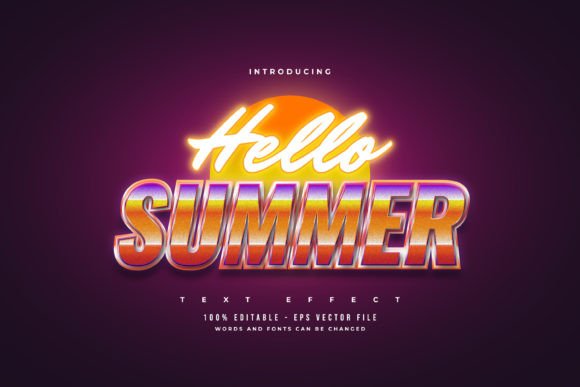
Hello Summer: Retro Neon Text Effect
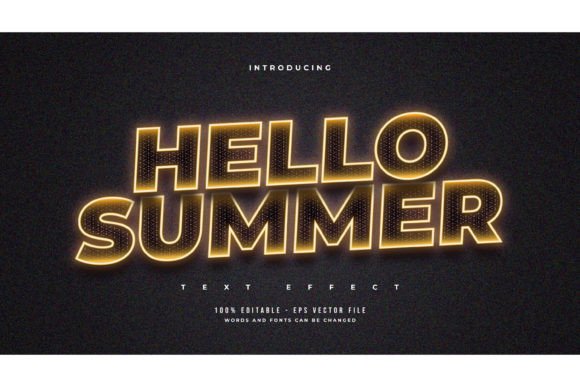
There is a distinct energy that arrives with the summer season. It is not just about the rising temperatures or longer days; it is a shift in visual culture. Bright colors, high contrast, and a sense of nostalgic freedom dominate the creative landscape. For designers, marketers, and content creators, capturing this vibe requires more than just a seasonal color palette. It demands typography that speaks the language of the era. This is where the Hello Summer Text with Retro Neon Effect becomes an invaluable asset. It bridges the gap between modern digital precision and the warm, glowing imperfection of analog signage.
This design resource is not merely a font file. It is a fully editable text style effect built for Adobe Illustrator. It allows you to transform standard typography into vibrant, glowing neon signs with a retro twist. Whether you are designing a poster for a beach party, creating social media graphics for a summer sale, or adding flair to a personal project, this tool provides the technical foundation to achieve professional results without hours of manual layering and blending.
Understanding the Retro Neon Aesthetic
The appeal of neon lies in its history. Originally used for commercial signage in the mid-20th century, neon tubes became synonymous with nightlife, diners, and coastal boardwalks. The "retro" aspect specifically references the slightly worn, warm-toned glow of older gas-discharge tubes, rather than the harsh, cold light of modern LEDs. When applied to summer-themed designs, this aesthetic evokes feelings of nostalgia, relaxation, and fun.
Using a pre-built effect like the Hello Summer Text with Retro Neon Effect saves significant time. Creating realistic neon from scratch involves multiple steps: outlining text, applying inner and outer glows, managing opacity settings, and adjusting blend modes to simulate light dispersion against a background. By using a template where these parameters are already optimized, you can focus on the creative direction rather than the technical execution. The result is a consistent, high-quality look that maintains its integrity across different applications.
Versatility Across Creative Projects
One of the strongest advantages of this resource is its adaptability. Because it is designed as an effect rather than a fixed font, you are not locked into a single typeface. You can swap in any font you like, provided it has enough weight to hold the neon tube illusion. This flexibility opens up a wide range of possibilities for various professionals.
- Social Media Managers: Create eye-catching Instagram stories or Facebook headers that stand out in a crowded feed. The glowing effect draws the eye immediately, increasing engagement rates for summer promotions.
- Small Business Owners: Design digital flyers for seasonal sales, menu boards for cafes, or signage for pop-up shops. The retro vibe adds character and warmth to your brand identity during the peak tourist season.
- Event Planners: Produce invitations and banners for weddings, parties, or corporate retreats. The neon style works particularly well for evening events, rooftop gatherings, or beach-themed celebrations.
- Educators and Publishers: Add visual interest to educational materials, summer reading lists, or newsletter headers. It breaks the monotony of standard text and makes information feel more inviting.
The key to successful application is context. While neon is bold, it should not overwhelm the message. Use it for headlines, short phrases, or key calls to action. For longer body text, stick to clean, readable fonts to maintain balance and clarity.
Customization and Creative Control
The included files, available in EPS format with JPG previews, are designed for ease of use. The phrase "Easy to Edit Just Click and Change The Texts" is not just marketing hype; it reflects a user-friendly structure. In Adobe Illustrator, you can select the text object, type your desired words, and the effect updates automatically. This non-destructive workflow allows for rapid iteration.
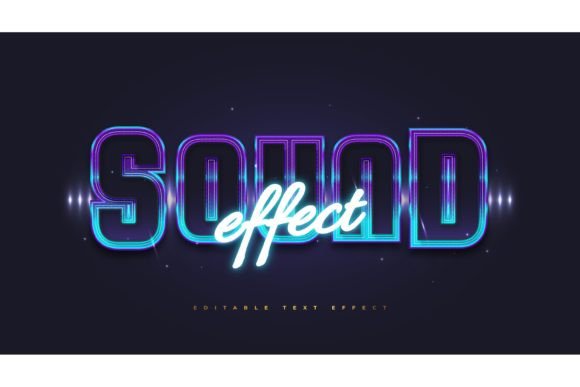
Consider the choice of font carefully. Thick, sans-serif fonts often work best for neon effects because they provide ample surface area for the "tube" and the surrounding glow. However, experimenting with script fonts can yield elegant, vintage results reminiscent of old motel signs. The Hello Summer Text with Retro Neon Effect accommodates these variations, allowing you to test different styles quickly.
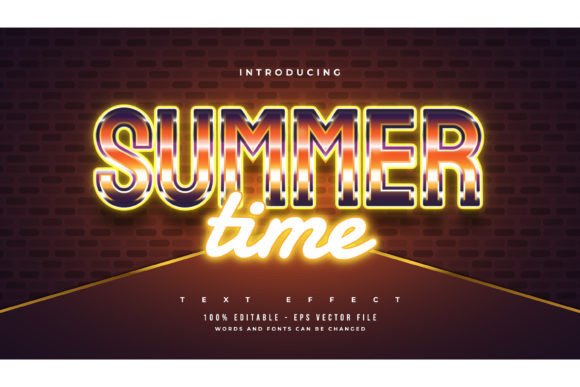
Color customization is another critical element. While traditional neon is associated with pink, orange, and blue, do not be afraid to deviate. Match the neon colors to your brand guidelines or the specific mood of your project. A cool turquoise might suit a surfing theme, while a warm amber could evoke a sunset barbecue. The ability to edit colors ensures that the design remains cohesive with your overall visual strategy.
Practical Tips for Best Results
To get the most out of this design tool, consider the following practical recommendations:
- Contrast is Key: Neon effects rely on contrast to appear luminous. Always place your text against a dark or muted background. A black, navy, or deep purple backdrop will make the glow pop, whereas a white background will diminish the effect significantly.
- Mind the Scale: Ensure your text is large enough to be legible. Intricate details in small fonts can get lost in the glow. If you need to use smaller text, simplify the font choice and reduce the intensity of the outer glow.
- Layering for Depth: Although the effect is pre-built, you can enhance it by adding subtle textures or gradients to the background. A slight grain or a blurred photo of a night sky can add depth and realism to the composition.
- Consistency in Campaigns: If you are using this effect across multiple platforms, keep the font and color choices consistent. This builds recognition and reinforces your summer theme without appearing chaotic.
Remember that this is a text font effect design, not a font itself. This distinction is crucial. It means you retain the freedom to use any typeface you have licensed or prefer. This openness encourages originality and prevents your designs from looking generic or templated.
Integrating into Your Workflow
For freelancers and agencies, time is a valuable commodity. Having a reliable, editable asset like the Hello Summer Text with Retro Neon Effect streamlines the design process. Instead of starting from zero for every summer-related request, you have a robust starting point. You can duplicate the file, swap the text, adjust the colors, and export the final asset in minutes.
This efficiency does not come at the cost of quality. The EPS format ensures vector scalability, meaning your designs will look crisp whether they are displayed on a mobile screen or printed on a large banner. The inclusion of JPG previews allows for quick visualization and client approval before diving into detailed edits.
Ultimately, the goal of any design tool is to empower creativity. By handling the technical complexities of neon simulation, this effect frees you to focus on messaging, layout, and audience engagement. It allows you to capture the essence of summer—vibrant, energetic, and nostalgic—with precision and ease. Whether you are a seasoned designer or a hobbyist looking to elevate your projects, integrating this retro neon style can add a professional polish that resonates with viewers.
Embrace the season with designs that shine. Use these tools not just as shortcuts, but as springboards for your own creative interpretations. Experiment with different words, fonts, and contexts. Let the glow of the retro neon effect illuminate your ideas and bring your summer projects to life.