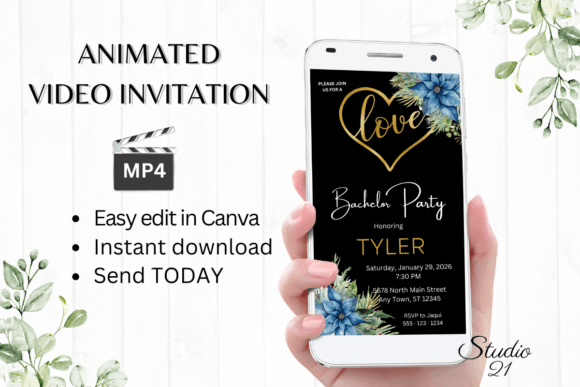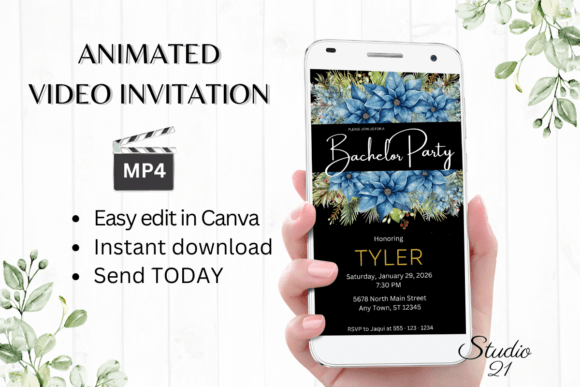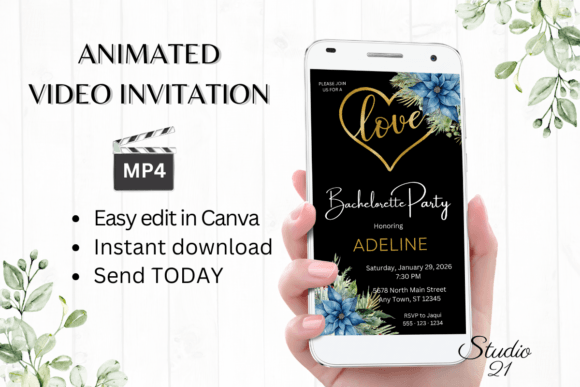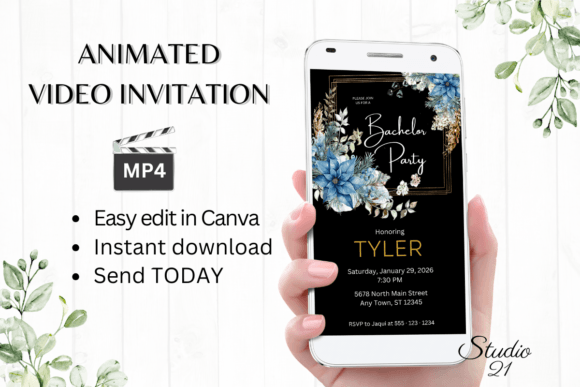
Christmas Bachelor Party Invite W5213
Planning a bachelor party during the holiday season presents a unique set of challenges and opportunities. You are balancing the festive spirit of Christmas with the celebratory energy of a groom’s final send-off into married life. The Christmas Bachelor Party Invite W5213 is designed to bridge this gap, offering a seamless way to announce your event with style and efficiency. This digital animated video invitation template allows you to create professional-grade evites without the steep learning curve typically associated with graphic design.
In today’s fast-paced social landscape, traditional paper invitations often feel slow and cumbersome. They require lead time for printing, postage, and waiting for RSVPs. By contrast, a digital solution like the W5213 template empowers you to download, edit, and send your invitations within minutes. This immediacy is crucial for modern event planning, where schedules change rapidly and guests expect quick, accessible information directly on their smartphones.
Why Choose a Digital Animated Invitation?
The primary appeal of the Christmas Bachelor Party Invite W5213 lies in its dynamic nature. Unlike static images or plain text messages, an animated video captures attention immediately. When a notification pops up on a friend’s phone, a moving graphic is far more likely to be opened and watched than a standard text blurbs. This format leverages the visual language of social media, where short-form video content reigns supreme.
For the host, the value proposition is equally strong. You gain immediate access to edit your template in Canva, a user-friendly design platform that requires no prior experience. There is no need to download any specialized software or install complex fonts. Everything happens in your web browser or via the Canva mobile app. This accessibility means you can personalize your invite using your computer while at work or make basic edits on your mobile device while commuting. The elimination of proofing waits is another significant benefit; what you see is what you get, allowing for instant deployment.
Customization Made Simple
One of the most common concerns for beginners using templates is the fear that their invitation will look generic. The W5213 template addresses this by offering robust editing options that remain intuitive. Once you access the file, you have complete control over the textual elements. You can personalize text to include the groom’s name, the date, time, and location of the party, and any specific dress codes or themes.
Beyond simple text replacement, the template allows for deeper customization. You can add or delete text boxes if your event details are more or less extensive than the default layout. Font styles, colors, and sizes are fully adjustable, enabling you to match the invitation to your specific party aesthetic. Whether you prefer a bold, modern look or a classic, elegant feel, the typography can be tweaked to suit your vision. Additionally, you can change text effects and animation styles, ensuring that the movement of the graphics aligns with the energy of your event.
When you are satisfied with your design, the process concludes with a simple download. You will receive your personalized evite as an MP4 file, a universal video format that plays smoothly on virtually all devices. This technical simplicity ensures that your creative efforts translate perfectly to your guests’ screens.
Effortless Sharing and Distribution
Creating the invitation is only half the battle; distributing it effectively is equally important. The Christmas Bachelor Party Invite W5213 is optimized for modern communication channels. Once you have downloaded your MP4 file, sharing it is straightforward. You can send the video directly via text message, iMessage, WhatsApp, Messenger, or any other popular messaging service. This direct approach ensures high visibility, as these platforms are checked frequently by users.
For those who prefer email or want a more formal trackable method, Canva also provides a shareable link. You can forward this link via email, allowing guests to view the invitation in their web browser without needing to download large video files. Detailed instructions for both methods are provided in the download package, ensuring that even those less tech-savvy can distribute their invites with confidence.
This flexibility supports various group dynamics. For a close-knit group of friends, a WhatsApp broadcast list works perfectly. For a larger, more mixed group including family members or colleagues, email might be the preferred route. The digital format adapts to your needs, removing the logistical headaches of address labels and postage costs.
What You Receive and How to Get Started
Upon purchase, you will receive a PDF document containing a direct link to the Canva template. The template is sized at 1080x1920 pixels, which is the standard aspect ratio for mobile stories and full-screen vertical viewing. This ensures that your invitation looks crisp and professional on smartphones, the primary device through which your guests will view it.
Alongside the template link, you will receive a user guide and Canva instructions. These resources are designed to walk you through the editing process step-by-step. Whether you are a seasoned designer or a complete beginner, these guides clarify how to access the file, make changes, and export the final product. The emphasis is on ease of use, ensuring that your time is spent planning the party rather than wrestling with design software.
Important Considerations for Users
Before diving into the editing process, it is essential to understand the nature of this product. This is a digital download; no physical product will be shipped to you. This eco-friendly approach reduces waste and eliminates shipping delays, but it does require you to handle the distribution yourself. However, the trade-off is immediate access and total control over your timeline.
Another key feature is the ability to edit the template at any time. If details change—perhaps the venue shifts or the start time is adjusted—you can return to the Canva file, update the information, and re-download the MP4. This flexibility is invaluable during the chaotic weeks leading up to a major event. Keep in mind, however, that colors may vary slightly depending on the device used to view the invitation. Screen calibration differs between phones, tablets, and computers, so minor variations in hue or brightness are normal and should not affect the overall readability or impact of the design.
The Christmas Bachelor Party Invite W5213 represents a modern solution to a traditional need. It combines the festivity of the holiday season with the convenience of digital technology, offering a tool that is both powerful and accessible. By leveraging this template, you ensure that your invitation stands out, reaches your guests instantly, and sets the perfect tone for a memorable celebration.